• multipledropdownfreelessonsjpg

    Song Robot Teaches “Somewhere Over The Rainbow”

    by Jermaine Griggs · 8 comments

    in Midi,Technology

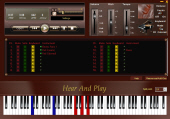
    After so many replies and interest in the new Song Robot software I recently announced, I’ve decided to do yet another quick demonstration that shows how the software can be used to learn virtually any song you can find (and there’s a good chance you can find ANY song you want on google).

    In this video, I show you in just a few minutes how to find over 4 versions of “Somewhere Over The Rainbow” (and that’s just because I stopped looking… there are literally dozens, if not hundreds, out there). I then open them in Song Robot.

    At the end, I let the entire song play through (giving you the opportunity to pick up as many chords and progressions as you want — but you’ll want to get Song Robot so you can have full control to slow it down, change the key, loop certain parts back and forth, and more!)

    For more information on Song Robot, click here.

    Related posts:

    1. The Song Robot Teaches Jazz!
    2. What If A Robot Could Teach You Songs?
    3. Yes you can! Play a top-charting pop song with just 4 chords!
    4. Valentine’s Day – Learn Hero In Slow Motion! (30-minute Video)
    5. The Anatomy and Parts of a Guitar…
    6. How To Play 6-2-5-1 Chord Progressions In Minutes
    7. An easy way to build your ear skills

    multipledropdownfreelessonsjpg

    { 8 comments… read them below or add one }

    1 Richard

    Amazing. You should see this Video.

    Reply

    2 Karin

    Heck, what use is this da**** robot if you don’t offer paypal? I don’t have a creditcard So I can’t buy even if I wanted! Every second day you keep telling me via e-mail just HOW pretty unseful this is. I sent an email, I explained that and why I cannot buy, and the answer was: “no problem!” WHAT?! It IS a problem for me. Pardon me, if you do not care whether people can buy or not, just spare me your constant ads! Are you pulling my leg or what?
    So if you want people to buy, offer the possibilities they can! If you don’t, keep your wonderful robot.
    Not the warmest regards I’m afraid.
    Karin

    Reply

    3 Jermaine Griggs

    Karin,

    Thanks for your comment and sorry it wasn’t made clear you can purchase at our shopping cart (no video or details but it is purchasable via paypal):

    https://hearandplay.infusionsoft.com/cart/store.jsp?view=4&i=p235&navicat=21&navisubcat=49&naviprod=235

    Sorry for any inconveniences.

    JG

    Reply

    4 Chevonne Reynolds

    I recently purchased the song robot and I couldn’t possibly be more excited!! I can’t wait to see more updates. If I could make one suggestion…when you try to play a midi file that has drums, horns, etc…you can mute it but the notes still light up as if you haven’t muted it. So you can get confused with all of the notes still being lit up.

    Reply

    5 Jermaine Griggs

    Hey Chevonne…

    There are 3 buttons

    M = mute
    S = solo
    K = keyboard

    Just unhighlight K (green button) for anything you don’t want to show up on the keyboard.

    If you only want to hear 1 or 2 tracks press S to solo them and if you totally don’t want to hear an instrument (or more than one) press M to mute it and also press K to take it off your keyboard screen.

    Reply

    6 Chevonne Reynolds

    I realized that after I posted this. Silly me, I just needed to pay attention to what you just did in your video. Thank you so much Jermaine..you’re awesome!

    Reply

    7 Master P

    Please does the robot play only midi files or both mp3, etc?

    Reply

    8 Ernesto Sh.

    Dear Jermaine, Thank you for your piano robot and everything else. It is really nice and extremely useful. Any chance that you will make an iPad version ? All the Best . ESK

    Reply

    Leave a Comment

    HTML tags are not allowed.

    Previous post:

    Next post: